







Use code NERDYNAV at checkout to get 50% off your first month on a monthly WPX plan.
Why I Chose WPX
I have been hosting websites for 11 years. My first host started at $4.99 per month, then renewed at $11.99 while giving me slow performance and frustrating support.
I switched Nerdynav to WPX in February 2023 because I wanted a host that would handle the server work while I focused on publishing. WPX cost more than my old host, but its custom dashboard, free migrations, backups, malware cleanup, CDN, and support made the higher price easier to justify.

My Results After Switching to WPX
In my tests, my site loaded in under one second, and Nerdynav ranked on page one for hundreds of competitive keywords. Fast hosting improved the reader experience while I focused on creating the content that earned those rankings.
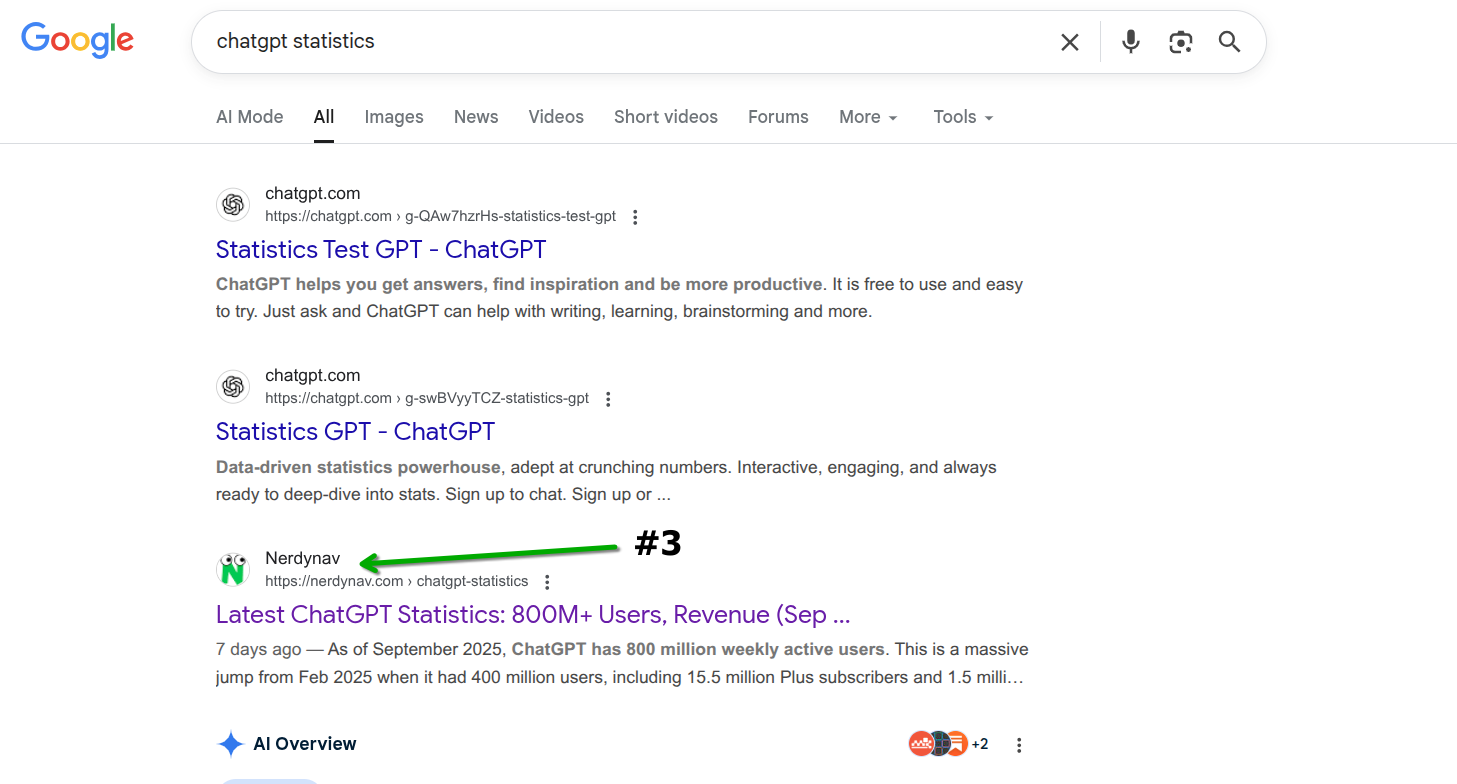
Most hosting tests use a light homepage or a fresh WordPress installation. I tested one of my most visited articles instead, with more than 55 images and 12 audio files.
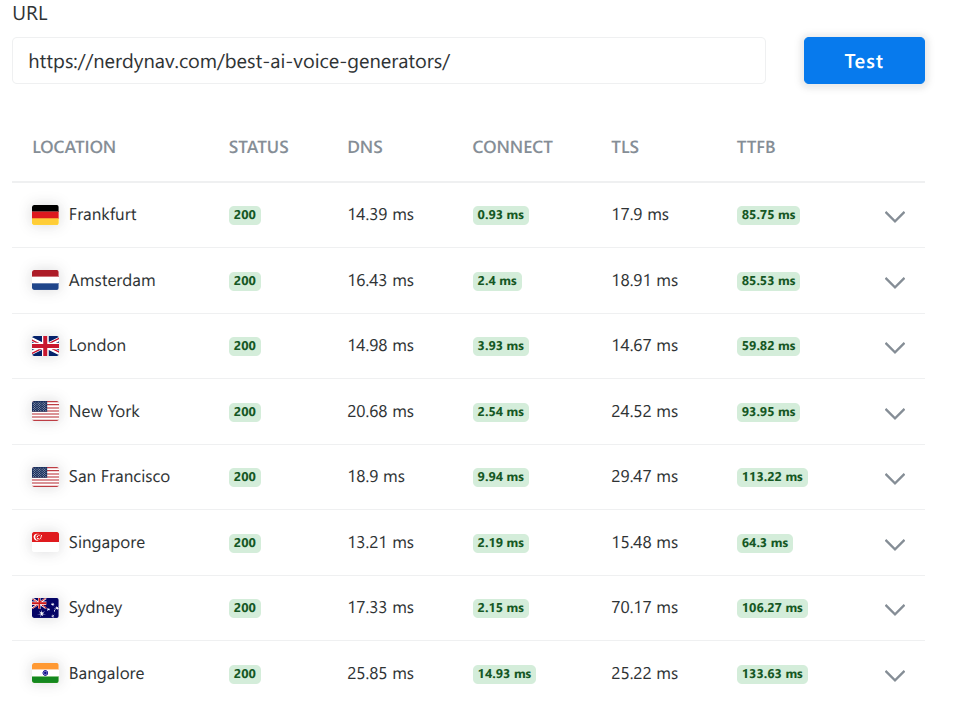
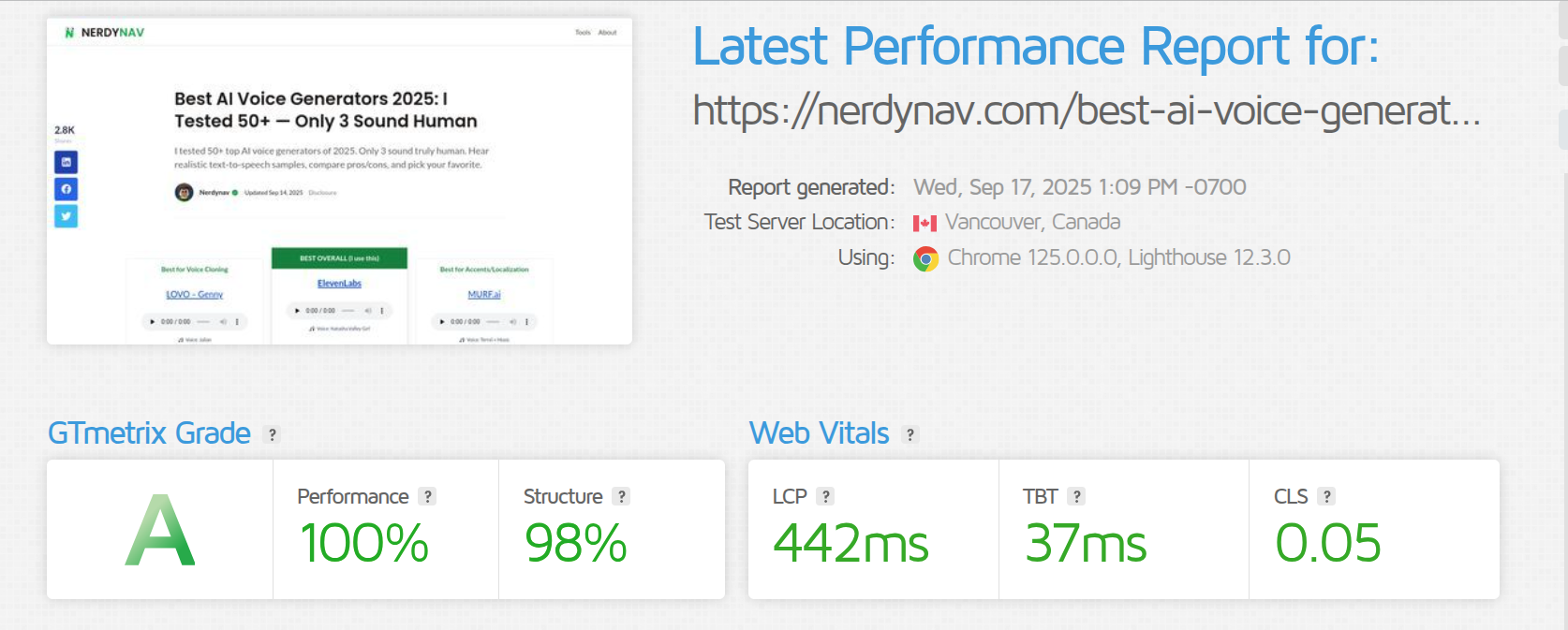
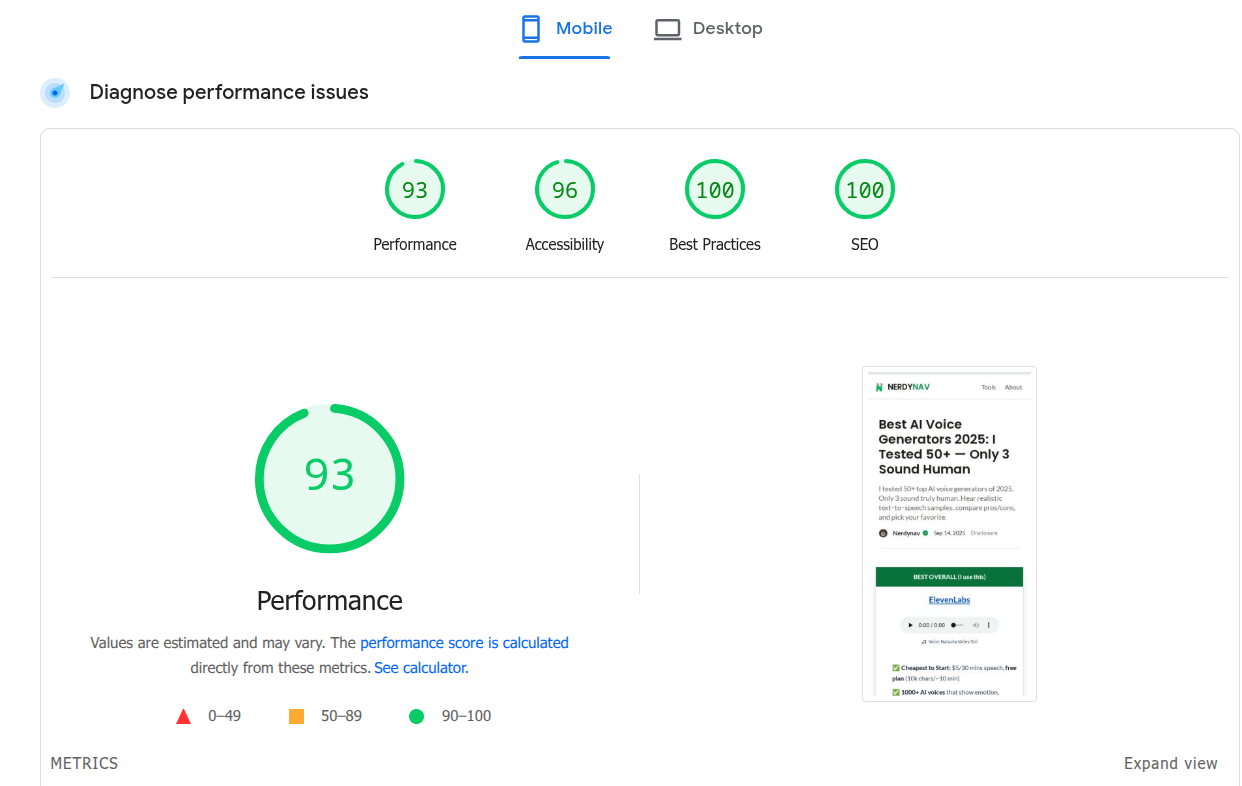
Your speed will also depend on your theme, plugins, page weight, traffic, server location, caching, and CDN. My setup combines WPX with a lightweight custom theme and paid Cloudflare.
WPX Pros and Cons
| Pros | Cons |
|---|---|
| Fast, knowledgeable support in my experience | Month-to-month hosting costs more than basic shared hosting |
| Custom panel is easier for me than cPanel | Starter supports only one site and omits business email |
| Daily backups with 28-day retention | Storage, CPU, bandwidth, and PHP-worker limits still apply |
| Malware scanning and removal included | No phone support |
| Free migration, SSL, staging, and custom CDN | ”Fixed For You” does not cover design work or badly coded plugins |
| Business and higher plans include email | Included email is not for newsletters or bulk sending |
What I Like About WPX
1. The Dashboard Is Beginner-Friendly
The custom WPX panel is one of the main reasons I recommend it to non-technical site owners. I find it faster and less intimidating than cPanel, while still giving me access to WordPress installs, staging, backups, databases, DNS, SSL, email, FTP/SFTP, and a file manager. The WPX control-panel guide covers each of these tools.
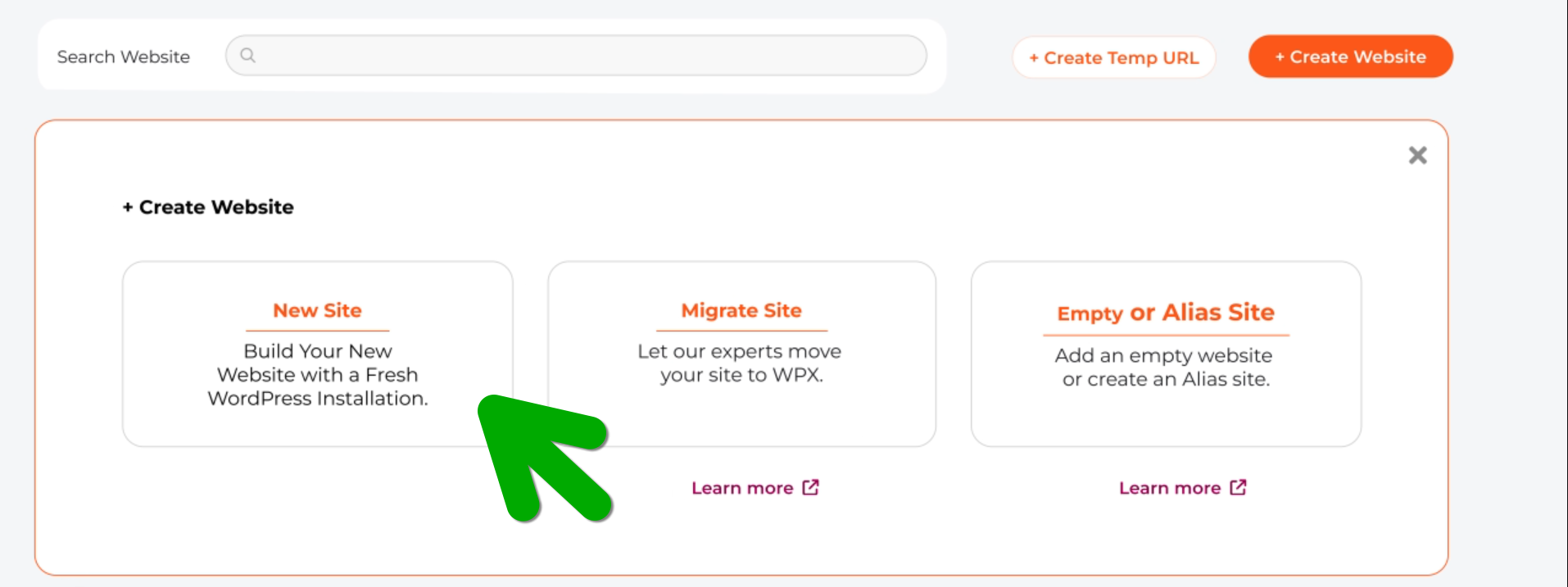
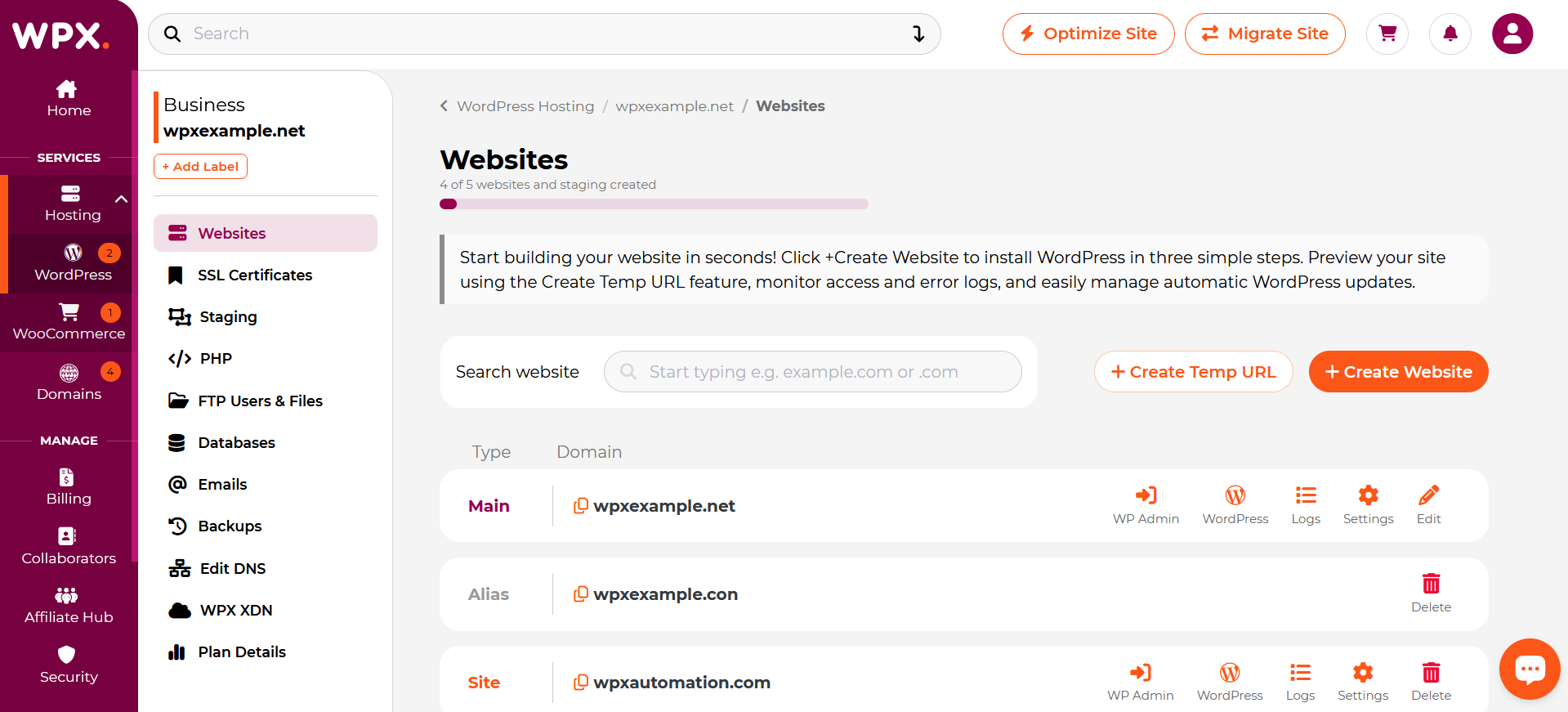
Common tasks I have found straightforward include:
- Creating a WordPress installation.
- Making a staging copy before a risky change.
- Adding a domain and managing its DNS.
- Enabling SSL and the WPX XDN cache.
- Creating an email mailbox on eligible plans.
- Managing or restoring a backup.
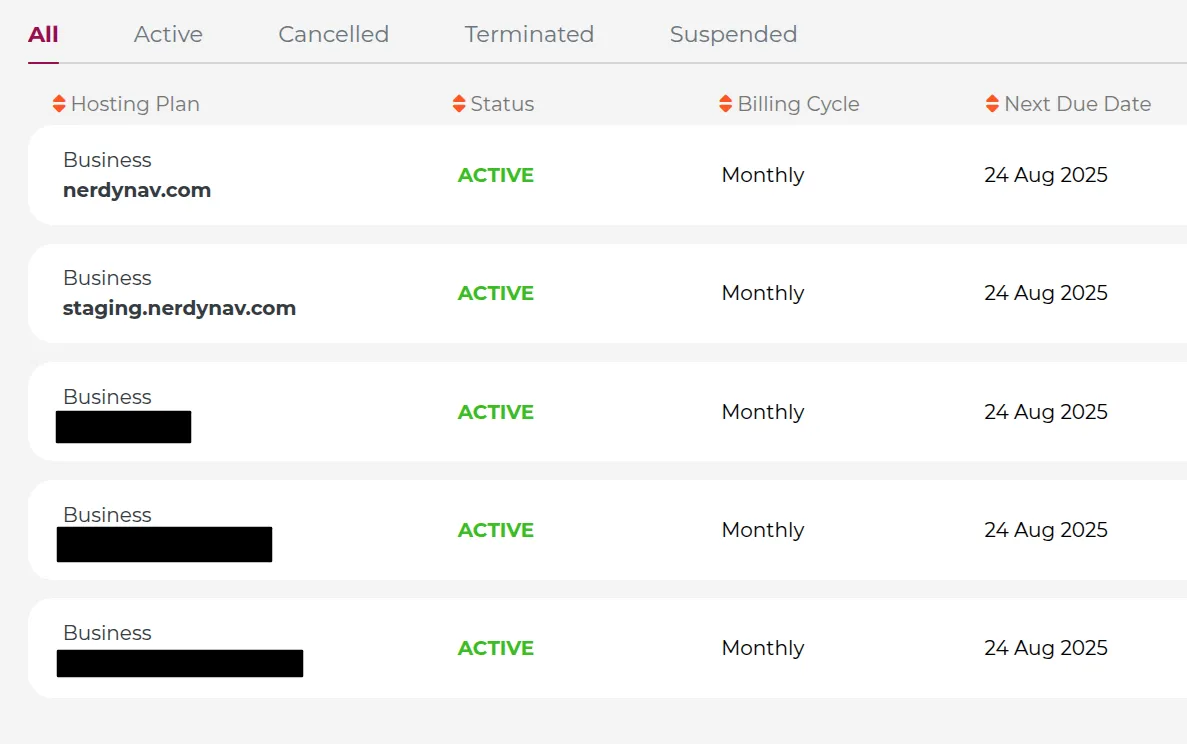
I also manage multiple blogs on WPX, which is where the Business plan offers the best value for me.
2. Support Solves More Than Basic Account Questions
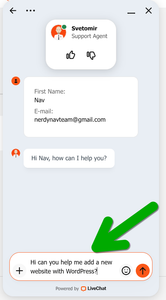
Support is WPX’s strongest differentiator for me. I can contact the team through live chat or tickets, and my own conversations have been fast and useful. WPX advertises a sub-30-second average response and includes 24/7 live chat across its plans.
The Fixed For You guarantee is also more practical than a host simply sending a help article. When a technical problem takes a site offline or seriously disrupts it, WPX offers to restore normal operation for free. The official guarantee exclusions matter: the team will not redesign a site, write CSS or PHP, repair the underlying code in a faulty third-party plugin, or solve a problem with your own internet or hardware.
Fortunately, I have never needed to use the guarantee for an outage, but I like having it there.
3. Daily Backups and Security Tools Are Included
WPX makes automatic daily backups and retains them for 28 days. I can also create and download manual backups or restore one through the panel. WPX security includes daily malware scans, free removal, a web application firewall, brute-force protection, hybrid DDoS protection, and free Let’s Encrypt SSL certificates.
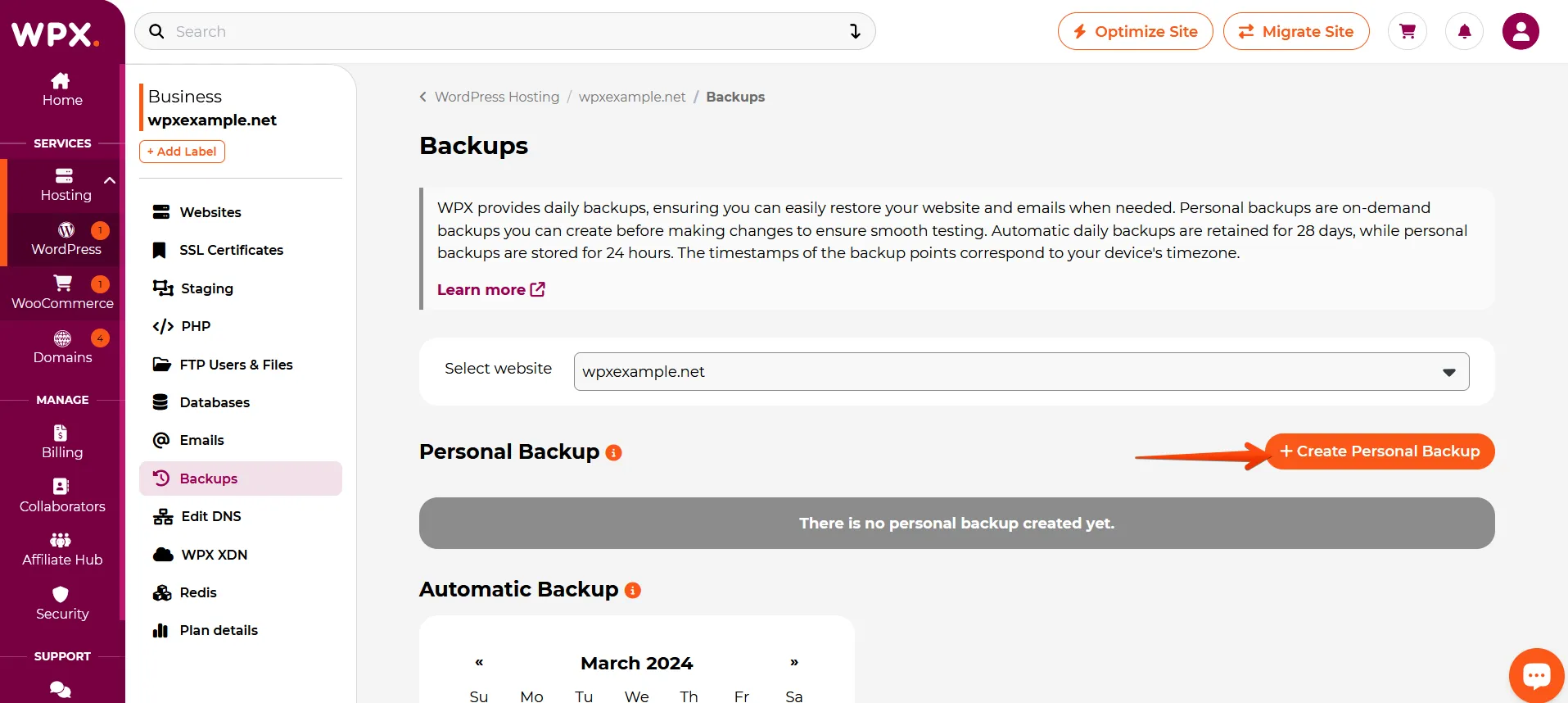
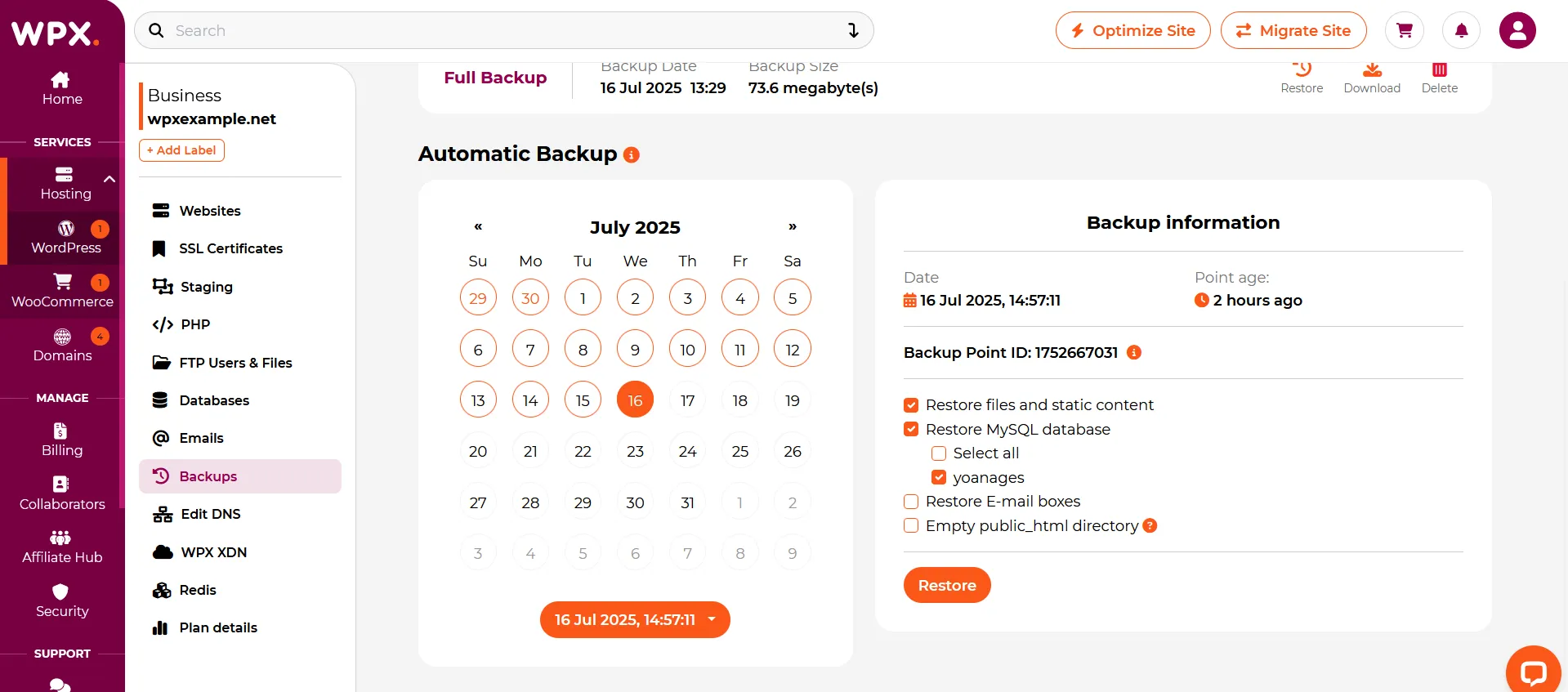

I still recommend keeping an independent off-site backup for any business-critical site. A host backup is convenient, but redundancy is safer than relying on one provider.
4. The Included CDN and Speed Optimization Add Value
Every plan includes WPX’s custom XDN content delivery network. XDN caches content closer to visitors and can be enabled from the dashboard.
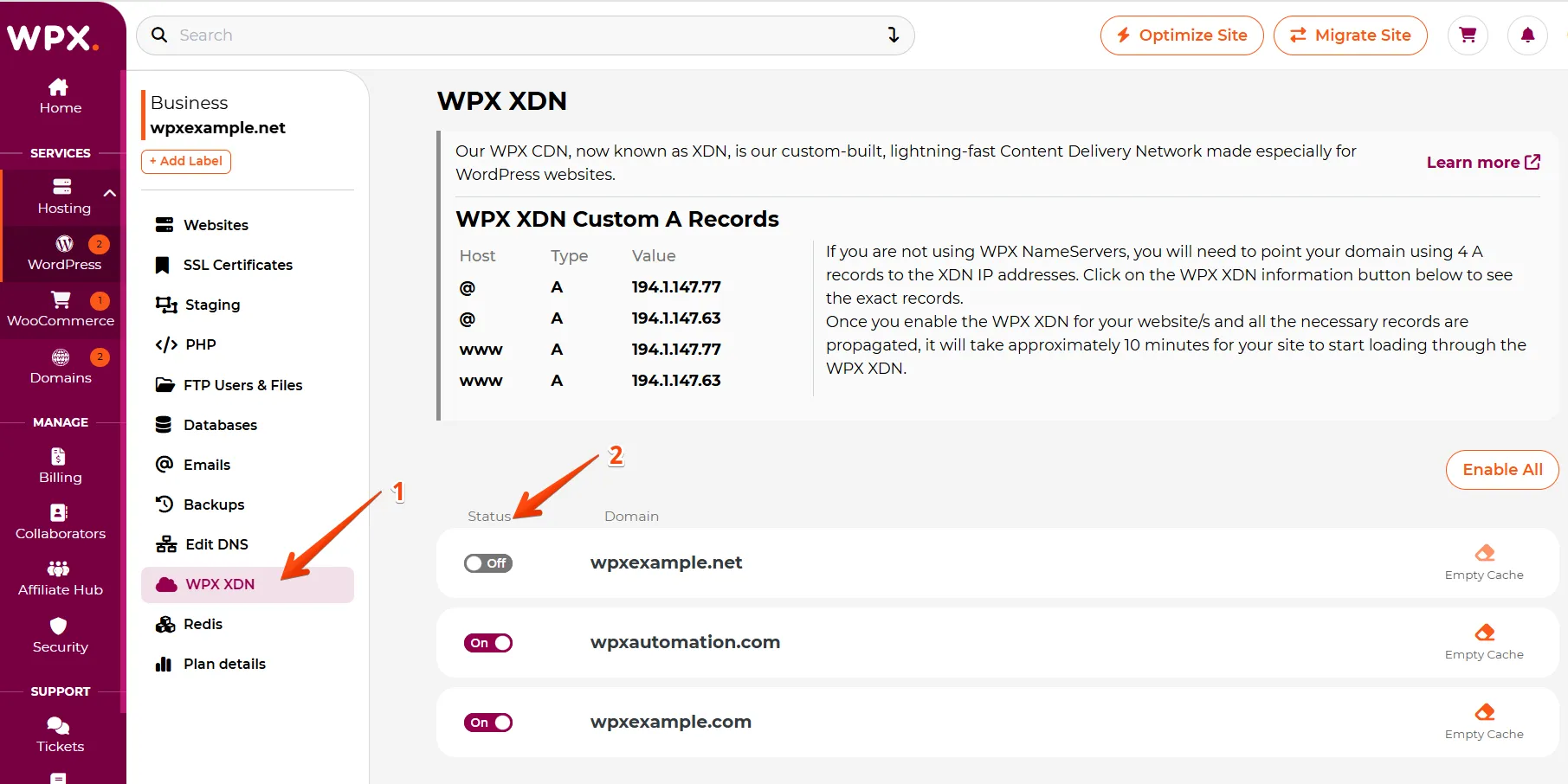
I use paid Cloudflare on Nerdynav. You can also use Cloudflare with WPX, but configuration matters, so ask support before changing your caching or DNS setup.
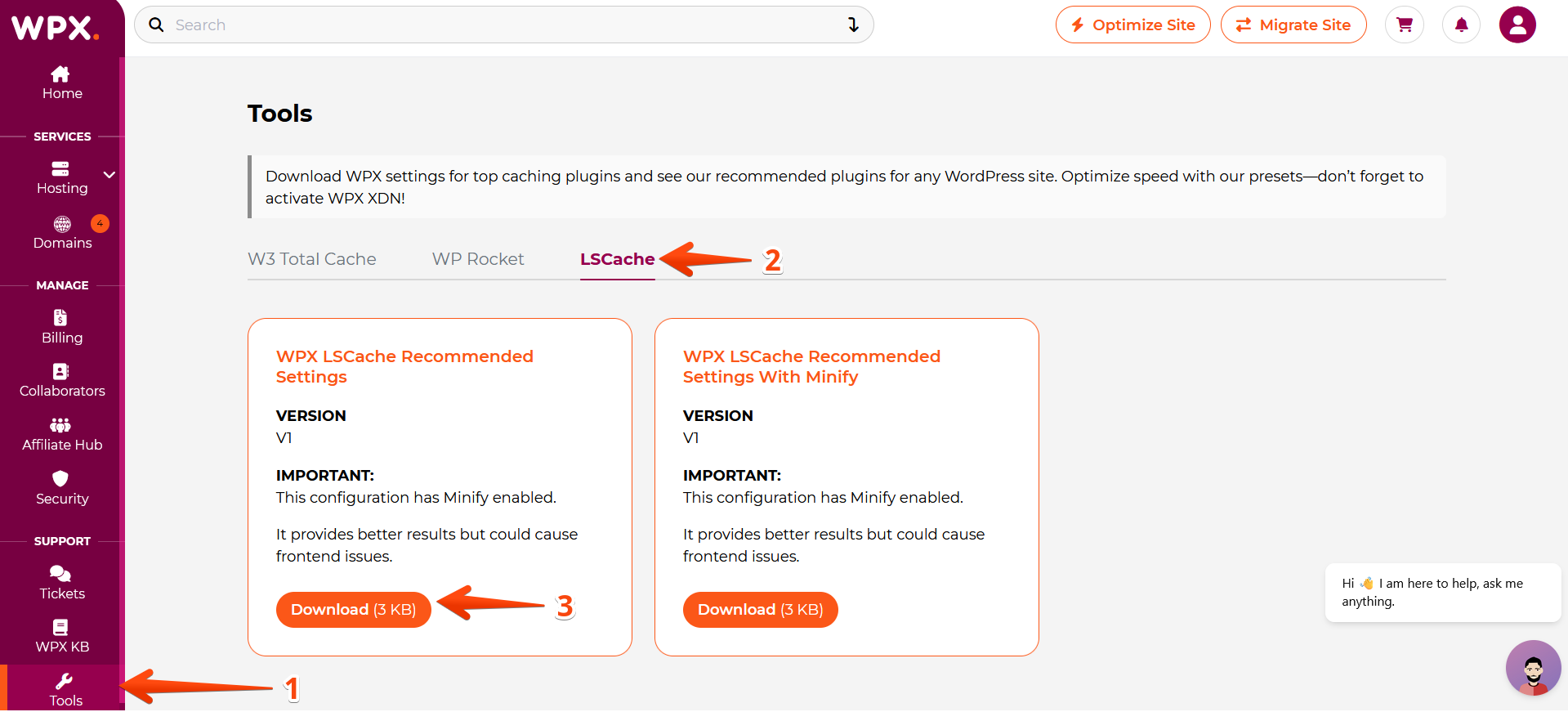
WPX also includes one free speed optimization for a hosted website. The team may configure caching, minify assets, optimize images and the database, and audit plugins. Its optimization targets are a TTFB below 250 milliseconds in the hosting region, FCP below two seconds, LCP below 4.5 seconds, and document-complete load time below 2.5 seconds. Further optimization of the same site costs $139.
5. Business Email Is Useful, With Real Limits
Business, Professional, Elite, and Agency plans include mailboxes and webmail; Starter does not. I use a domain-based address on WPX, and it is useful for ordinary correspondence.
It is a basic small-business email service, not a newsletter platform. WPX permits up to 50 outgoing messages per 30 minutes per hosting plan, limits a message to 32 MB and attachments to 20 MB, and prohibits bulk marketing sends. Mailboxes also consume your plan’s storage. I would use Google Workspace or Zoho for email-heavy operations and a dedicated email-marketing service for newsletters.
WPX Hosting Pricing in 2026
WPX starts with a one-site Starter tier. The WordPress hosting plans below are priced in US dollars and exclude applicable tax.
| Plan | Month-to-month list price | Five-year effective price | Sites | Storage | Bandwidth | Key resource limits |
|---|---|---|---|---|---|---|
| Starter | $17.99/mo | $11.99/mo | 1 | 10 GB | 100 GB | 3 GB RAM, 0.5 CPU core, 9 PHP workers |
| Business | $29.99/mo | $19.99/mo | Up to 5 | 20 GB | 200 GB | 5 GB RAM, 1 CPU core, 15 PHP workers |
| Professional | $59.99/mo | $39.99/mo | Up to 15 | 40 GB | 400 GB | 15 GB RAM, 2 CPU cores, 45 PHP workers |
| Elite | $119.99/mo | $79.99/mo | Up to 35 | 80 GB | Unlimited | 35 GB RAM, 3 CPU cores, 105 PHP workers |
The lower figures require five years paid upfront and include 20 months free. That is a large commitment, so I would compare the total checkout price and refund terms rather than focusing on the monthly equivalent.
All four plans include WordPress installs, staging, SSL, daily backups, malware scanning and removal, XDN, migrations, and 24/7 support. Business and above add business email. WPX also lists a much larger Agency plan, but it is not relevant to most Nerdynav readers.
Which WPX Plan Should You Choose?
- Starter: one established blog or business site that does not need WPX email.
- Business: my value pick for up to five small-to-medium sites and business email.
- Professional: freelancers or small agencies that need 15 site slots and more resources.
- Elite: a larger portfolio that fits within shared-plan resource limits.
- WooCommerce hosting: a dynamic store that needs Redis and resources tuned for ecommerce; the separate Powerstore plan starts at $34.99 month-to-month.
During Black Friday, I locked in WPX hosting for $24.99 for three months—roughly $8 per month for the first three months.
If you prefer monthly billing, use code NERDYNAV at checkout for 50% off your first month.
Refund and Renewal Details
WPX’s current refund policy gives new hosting purchases a 30-day money-back window. You must submit a formal cancellation request within that period. Renewals, domains, and various paid services are not refundable, and promotional campaigns can carry modified terms.
WPX’s price-lock guarantee keeps the price unchanged for the initial subscription period. Check the renewal price before choosing a long billing term.
What Other WPX Customers Say
My positive support experience broadly matches WPX’s public ratings. As of August 1, 2026, Trustpilot showed 4.9/5 from 3,620 reviews, with 97% rated five stars. G2 showed 4.7/5 from 64 reviews, where reviewers commonly highlighted responsive support and speed; some also described the service as relatively expensive.
Customer ratings are useful for spotting support patterns, but your site’s speed and uptime will still depend on its setup and workload.
Where WPX Falls Short
It Is Not the Cheapest Way to Launch a Blog
At $17.99 month-to-month, Starter is hard to justify for a new hobby site with no traffic or revenue. Budget WordPress hosting can be enough while you validate an idea. WPX makes more sense when support, recovery help, and time saved have business value.
The Resource Ceilings Matter
“Unlimited visitors” does not mean unlimited server capacity. Storage, bandwidth, CPU cores, RAM, and PHP workers are plan-specific. A cached content site and a busy membership site can produce very different loads with the same visitor count.
For a high-concurrency store, LMS, membership site, or other dynamic workload, I would discuss the real resource requirements with support instead of choosing a basic WordPress tier.
Managed Does Not Mean WPX Runs Your Entire Website
WPX handles hosting infrastructure, backups, security measures, migrations, and many availability problems. It does not become your developer, designer, SEO consultant, or content team. The Fixed For You guarantee is helpful but deliberately narrower than the name can sound.
There Is No Phone Support
WPX provides support through live chat and tickets, not phone. I prefer chat for most hosting issues, but businesses with a phone-support requirement should look elsewhere.
WPX Alternatives
I would compare WPX with these options before buying:
- Kinsta: my comparison for one mission-critical site that needs stronger developer and monitoring tools. Its current single-site plan is $35 monthly and includes one WordPress install, 10 GB storage, 20 GB server bandwidth, 125 GB CDN bandwidth, and 14-day backup retention. Kinsta currently offers the first month free on eligible plans.
- WP Engine: worth considering when automated WordPress, PHP, theme, and plugin maintenance or a containerized platform matters more than bundled email. Its March 2026 US list pricing runs from $17 for Lite and $35 for Startup, but compare the exact site, traffic, support, and feature limits at checkout.
- Budget shared hosting: better for a first hobby site when low cost matters more than WPX’s hands-on support and included recovery services.
- A specialized WooCommerce host or WPX WooCommerce: better for a revenue-critical store than forcing a dynamic workload onto a basic content-site plan.
For my use case—multiple content sites, a preference for a simple panel, and a high value placed on quick help—the WPX Business plan is still the best fit of its current lineup.
Final Verdict: Is WPX Hosting Worth It?
Yes, for the right customer. I recommend WPX to bloggers, publishers, and small businesses that have outgrown bargain hosting and want knowledgeable support without paying separately for malware cleanup, daily backups, a CDN, migrations, and routine site-recovery help.
I would skip it if you are launching a no-budget hobby blog, require phone support, need large amounts of storage, or operate a highly dynamic site that may outgrow fixed shared-plan resources.
WPX earns my recommendation through fast performance, genuinely helpful support, and useful inclusions such as daily backups, malware removal, migrations, and site fixes. It is shared hosting, but it is the fastest I have tested.
Get 50% off your first monthUse code NERDYNAV on a monthly plan.
FAQs
How Much Does WPX Hosting Cost?
As of August 1, 2026, the one-site Starter plan is $17.99 month-to-month. Its advertised $11.99 monthly equivalent requires a five-year prepayment. Business is $29.99 month-to-month or $19.99 per month on the five-year offer and supports up to five sites.
Does WPX Include Business Email?
Business and higher WordPress plans include business email and unlimited mailboxes within the plan’s overall storage. Starter does not. WPX email is for normal correspondence, not bulk email marketing.
What Uptime Does WPX Guarantee?
WPX offers a 99.95% uptime guarantee. I still recommend independent uptime monitoring for a business-critical site.
Where Are WPX’s Data Centers?
WPX currently offers origin hosting in Chicago, London, and Sydney. Pick the origin closest to your core audience, then test CDN performance from the regions that matter to you.
Is WPX Shared Hosting?
WPX’s standard WordPress plans use shared servers with allocated site resources, alongside plan-specific CPU, RAM, bandwidth, storage, and PHP-worker limits. They are managed WordPress plans, but they are not the same as having an entire dedicated server.
Is WPX Good for WooCommerce?
WPX has dedicated WooCommerce plans with Redis and higher resources. I would choose one of those instead of Starter or Business for a serious store, then load-test the actual site before moving production traffic.
Does WPX Have a Money-Back Guarantee?
New hosting purchases have a 30-day refund window under WPX’s current policy. You must cancel formally within the window, and renewals, domains, some paid services, and some promotions have exclusions.