






My verdict: I recommend TickTick for most people. It has a genuinely useful free version, works on the web and across all major desktop and mobile platforms, and adds collaboration, calendar planning, habit tracking, and a Pomodoro timer in one app.
Things 3 is my pick for Apple-only users who value calm design over extra features. I found its interface cleaner and more fluid than TickTick’s. It also uses one-time purchases instead of a subscription. The tradeoff is significant: no Windows, Android, Linux, or web app, and no shared lists.
TickTick vs Things 3 at a glance
| Comparison | TickTick | Things 3 |
|---|---|---|
| Best for | Most people, mixed-device users, and feature-rich planning | Apple-only users who want a focused personal task manager |
| Platforms | Web, iOS/iPadOS, Android, Windows, macOS, Linux, and more | Mac, iPhone, iPad, Apple Watch, and Vision Pro |
| Web app | Yes | No |
| Free option | Free plan | No free mobile app; 15-day Mac trial |
| Paid price in the US | $35.99/year promotional price, down from $49.99/year | Mac $49.99; iPhone + Watch $9.99; iPad $19.99; Vision Pro $29.99 |
| Billing | Subscription | One-time purchase for each platform |
| Calendar planning | Full calendar views and third-party calendar subscriptions with Premium | Displays Apple Calendar events in Today and Upcoming; does not send to-dos back to Calendar |
| Collaboration | Shared lists, task assignment, and comments | No real-time shared lists or collaboration |
| Location reminders | Yes on mobile | No native location-based reminders |
| Habit tracker and Pomodoro | Built in | Not built in |
| Priorities | Four priority levels plus an Eisenhower Matrix | No dedicated priority field; use Today, ordering, or tags |
| Attachments | Yes, with plan-dependent limits | No file attachments; notes support Markdown and links |
| Automation | Calendar connections, email capture, integrations, and more | Apple Shortcuts, Things URLs, AppleScript on Mac, and Mail to Things |
These are the US prices as of August 1, 2026. TickTick labels $35.99 as a limited-time annual offer, so check the renewal price before subscribing. Things is sold separately for each platform, although the Apple Watch app is included with the iPhone purchase and Things Cloud sync is free.
The short answer: which one should you choose?
Choose TickTick if any of these describe you:
- You use Windows, Android, Linux, or a web browser alongside Apple devices.
- You want to try a capable free task manager before paying.
- You plan your day by time-blocking tasks in a calendar.
- You share household, trip, or lightweight work lists with other people.
- You want habits, focus sessions, notes, tasks, and calendar planning together.
Choose Things 3 if all or most of these describe you:
- You expect to stay inside Apple’s ecosystem.
- You are buying a personal task manager, not a team workspace.
- You prefer a restrained interface and a clear Today/Upcoming/Anytime/Someday workflow.
- You would rather pay once for each platform than maintain another subscription.
- You do not need native time-blocking, location reminders, or file attachments.
For a solo Apple user, Things is not “worse”; it is deliberately narrower. TickTick wins this comparison because it fits far more devices and workflows without forcing you to pay upfront.
Pricing: subscription versus one-time purchase
Pricing is the clearest philosophical difference between these apps.
TickTick pricing
TickTick offers a free plan. Premium is currently $35.99 per year, discounted from a displayed list price of $49.99 per year. It unlocks full calendar functionality, custom filters, task and list history, higher usage limits, reminders for checklist items, estimated Pomodoro sessions, and additional themes and white noise.
One Premium subscription works across TickTick’s web, iOS, Android, Windows, macOS, and Linux apps. That is much simpler than buying separate apps when you regularly switch devices.
The drawback is recurring cost. Eligible students and educators can apply for a 25% discount on one year of Premium.
Things 3 pricing
Things has no subscription and no permanently free version. US pricing is currently:
- Mac: $49.99
- iPhone and Apple Watch: $9.99
- iPad: $19.99
- Vision Pro: $29.99
Buying the Mac, iPhone, and iPad versions costs $79.97 once. You can reinstall a purchase on multiple devices of the same type, and Family Sharing is supported. Sync through Things Cloud does not cost extra.
Only the Mac version has a trial. It is a 15-day, full-featured trial with no automatic renewal.
Things can be cheaper over the long run if you remain on Apple hardware. However, the separate purchases become wasted value if you later move to Windows or Android because Things has no app or browser fallback there.
TickTick review: better for features and flexibility
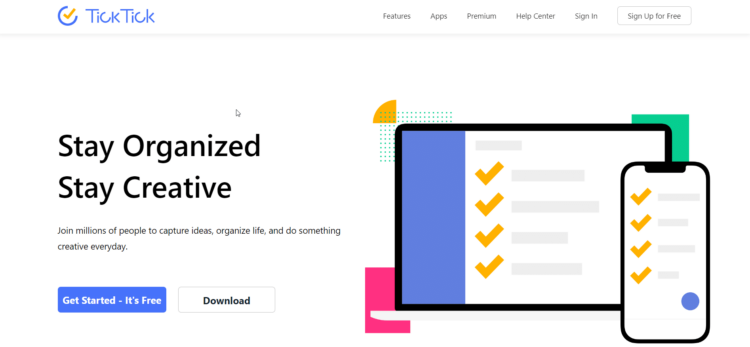
TickTick feels like a to-do list, day planner, habit tracker, and focus timer combined. You can use only the task basics, but the extra modules are there when your workflow grows.
What TickTick does well
It works nearly everywhere. TickTick supports iOS/iPadOS, Android, Windows, macOS, Linux, browser extensions, and the web. Cross-platform access is the deciding advantage if your phone and computer come from different ecosystems.
Its planning tools go beyond lists. TickTick combines recurring tasks, priorities, tags, custom filters, list and Kanban views, a four-quadrant Eisenhower Matrix, habit tracking, and Pomodoro-style focus sessions.
The calendar is much more actionable. Premium adds full calendar views, task start and end times, and third-party calendar subscriptions. TickTick supports Google, iCloud, Outlook, Exchange, CalDAV, and URL calendars. Its Google Calendar connection can also sync selected tasks and events in both directions.
Basic collaboration is built in. You can share a regular list, assign tasks, choose permissions, and comment. Both free and Premium users can join shared lists; the free plan can add one other member per shared list, while Premium can add up to 29. This is enough for couples, families, or small informal projects, although TickTick is not a replacement for full project-management software.
Task capture is flexible. I liked being able to use voice input, turn emails into tasks, add notes and subtasks, upload attachments, and finish tasks scheduled for a future date. Folders were useful for keeping work and personal lists apart.
TickTick free versus Premium
The free plan is enough for straightforward personal task lists and for deciding whether TickTick’s busier interface suits you. Premium is the more realistic choice if calendar planning is central to your system.
The most meaningful Premium upgrades are:
- Full calendar views and task duration
- Flexible custom filters
- More lists, tasks, checklist items, reminders, and collaborators
- Task and list change history
- Checklist-item reminders
- Historical completion statistics
- Estimated Pomodoro time and more focus sounds
Check TickTick’s Premium page for its latest feature and usage limits before paying.
What I like about TickTick
- One account works across phones, computers, and the web.
- The free version covers the essentials.
- Calendar views, focus sessions, habits, and an Eisenhower Matrix reduce the need for separate apps.
- Shared lists and task assignment work for simple collaboration.
- Tasks support subtasks, notes, and attachments.
- Future and recurring tasks are more flexible than in Things.
Where TickTick falls short
- The interface is busier than Things 3.
- Premium is a recurring subscription.
- Several of the best planning tools, including full calendar functionality and custom filters, require Premium.
- Collaboration is useful for shared lists, not complex team projects with dependencies, budgets, or advanced reporting.
- TickTick’s expanding feature set can tempt you to spend more time configuring your system than completing tasks.
Things 3 review: better for focused Apple users
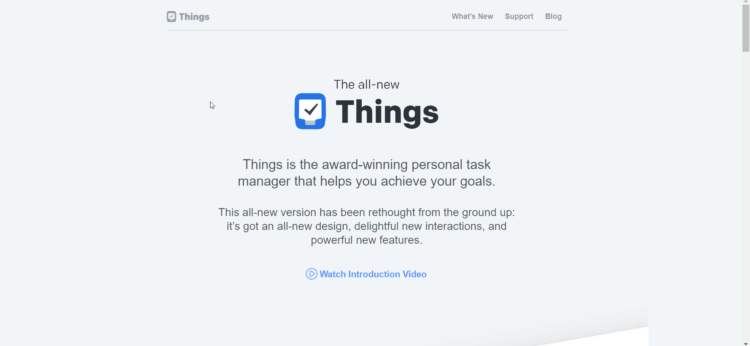
Things 3 is a personal task manager built specifically for Apple’s platforms. Its appeal is not the number of features. It is how clearly the app turns an inbox of tasks into a realistic daily list.
What Things 3 does well
The interface stays out of the way. I found the animations and gestures fluid, and the app never felt bare despite its minimal design. Magic Plus makes it easy to drop a new to-do or heading exactly where it belongs.
Its structure is excellent for personal planning. Areas hold ongoing responsibilities such as Work or Family. Projects hold outcomes, while headings and to-dos break those outcomes into manageable steps. Today includes an optional This Evening section, and Upcoming, Anytime, and Someday keep future and less-defined work out of today’s view.
Start dates and deadlines remain separate. This is one of Things’ smartest ideas. A start date controls when a task becomes active; a deadline records the date it must be finished. That distinction works well for a daily-review style of planning.
Apple automation is deep. Things supports Siri, widgets, Apple Shortcuts, a URL scheme, AppleScript on Mac, Share Sheet capture, and Mail to Things. It does not have a public API, so its integration story is powerful inside Apple devices but limited outside them.
Cloud sync is included. Things stores a full database on each device for offline use and syncs changes through Things Cloud. The service encrypts data in transit and at rest.
Things 3 calendar support is useful but limited
Things can display events from Apple Calendar alongside tasks in Today and Upcoming. Google, Outlook, and Exchange events can appear only after they are synced into Apple Calendar first.
This is a read-only planning layer. Things does not send to-dos back to Apple Calendar, and it does not provide the weekly or monthly time-blocking canvas found in TickTick Premium. If you plan by assigning durations to tasks, this difference matters more than Things’ cleaner interface.
What I like about Things 3
- Calm, polished interface with excellent gestures and keyboard navigation.
- Thoughtful Today, This Evening, Upcoming, Anytime, and Someday lists.
- Areas, projects, headings, tags, start dates, and deadlines create a strong personal workflow.
- One-time purchases instead of a subscription.
- Strong Apple Shortcuts, widgets, Siri, URL scheme, and AppleScript support.
- Fast offline access and free Things Cloud sync between purchased apps.
Where Things 3 falls short
- No Windows, Android, Linux, or web app.
- Mac, iPhone, iPad, and Vision Pro are separate purchases.
- No free mobile version; only Mac has a trial.
- No real-time shared lists, task assignment, or collaboration.
- No built-in habit tracker, Pomodoro timer, file attachments, or native location reminders.
- No dedicated priority levels or Eisenhower Matrix; you have to use ordering, Today, or tags.
- You cannot complete a repeating to-do before its scheduled copy appears.
- Calendar events are displayed through Apple Calendar, but tasks do not sync back to it.
TickTick vs Things 3 by use case
Best for cross-platform use: TickTick
This one is not close. If you use a Windows work computer, an Android phone, or occasionally need browser access, choose TickTick. Things requires a supported Apple device with the app installed.
Best for Apple-only personal planning: Things 3
Things is my choice when the priorities are elegant design, fast capture, and a disciplined personal workflow. It feels more coherent than TickTick because it is built around a smaller set of decisions.
Best for calendar planning and time-blocking: TickTick
TickTick’s full calendar views, task durations, and broader calendar connections make it the better day-planning tool. Things shows events next to tasks but does not turn the task list into a time-blocking calendar.
Best for shared lists: TickTick
TickTick supports list sharing, assignments, comments, and permissions. Things has no real-time collaboration. Neither is my first choice for managing a complex business project, but TickTick is the only viable option of these two for shared work.
Best long-term purchase: It depends
Things is easier to justify if you are confident you will remain on Apple devices and do not need its missing features. TickTick’s free plan is the lowest-risk starting point, while Premium makes more sense when cross-platform access and calendar planning are worth an ongoing fee.
Final verdict
TickTick remains my recommendation for most people in 2026. Its free plan and broad platform support make it easier to adopt, while Premium gives serious planners a calendar, custom filters, richer limits, and productivity tools Things does not try to match.
I would choose Things 3 instead for a solo, Apple-only workflow where interface quality is more important than feature count. It is focused, pleasant to use, and avoids subscription fatigue. Just be honest about the lock-in: a future move to Windows or Android means leaving the app behind.
If your deciding feature is a focus timer rather than task management, see my Forest vs Flora comparison.
FAQs
Is TickTick better than Things 3?
TickTick is better for most people because it has a free plan, works across major platforms and the web, supports shared lists, and includes richer calendar, habit, and focus tools. Things 3 is better for solo Apple users who prioritize a calmer interface and one-time pricing.
Do I have to buy Things 3 for every device?
You buy Things separately for Mac, iPhone, iPad, and Vision Pro. The Apple Watch app comes with the iPhone version. You do not have to repurchase it for another device of the same type using the same Apple Account, and eligible family members can use Family Sharing.
Does Things 3 have a free trial?
The Mac app has a 15-day full-featured trial. There is no trial for iPhone, iPad, or Vision Pro because those apps are sold as one-time App Store purchases without in-app purchases or subscriptions.
Does Things 3 work on Windows or Android?
No. Things works on Mac, iPhone, iPad, Apple Watch, and Vision Pro. It has no Windows, Android, Linux, or browser version.
Can Things 3 share lists with other people?
No. Things Cloud syncs your own devices, but Things does not support real-time list sharing or collaboration. Use TickTick if you need to assign or discuss tasks with another person.
Can Things 3 connect to Google Calendar or Outlook?
Not directly. Things reads events from Apple Calendar. You can sync a Google, Outlook, or Exchange calendar into Apple’s Calendar app first, then choose that calendar inside Things. Things only displays those events; it does not send Things to-dos back to the calendar.
Is TickTick Premium worth it?
Premium is worth considering if you use TickTick for calendar planning, need task durations and custom filters, or regularly hit the free plan’s limits. Stay with the free plan if you mainly need synced personal lists, recurring tasks, and basic reminders.
Is my data encrypted?
Both services document encryption in transit and at rest. TickTick says its data is hosted on AWS in the US and encrypted at rest. Things Cloud documents 256-bit AES encryption at rest and encrypted transit. Encryption is only one part of privacy, so read each service’s current policy if your tasks contain sensitive information.
Does TickTick still offer an education discount?
Yes. Eligible students and educators at accredited universities, colleges, or high schools can apply for 25% off a yearly Premium plan. An official education email and verification documents are required.